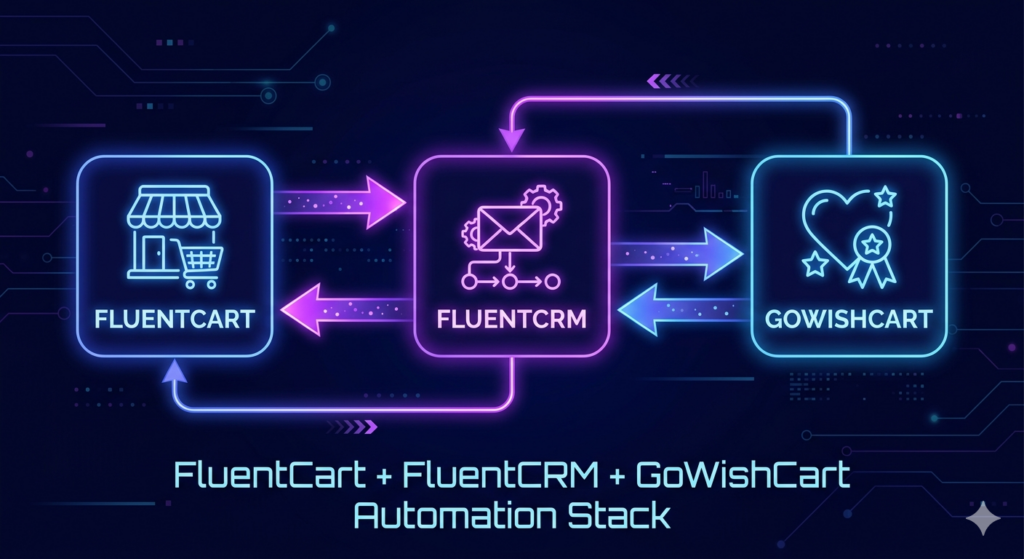
FluentCart + FluentCRM + GoWishCart: The Complete WordPress eCommerce Automation Stack
What if your WordPress store could market itself — automatically reaching the right customer, with the right message, at exactly the right time?
That’s not a fantasy. It’s what you get when you combine three powerful tools in the WordPress ecosystem: FluentCart, FluentCRM, and GoWishCart.
Together, these three plugins create a complete, automated eCommerce stack that can significantly increase your sales without requiring you to manually manage every customer interaction. In this post, we’ll show you how they work together and how to set up this powerful combination for your store.
Understanding the Stack
FluentCart — The Modern WordPress eCommerce Platform
FluentCart is a modern, lightweight eCommerce plugin for WordPress. It handles your product catalog, shopping cart, checkout, and order management with a clean interface and fast performance. Unlike WooCommerce, FluentCart is built with a modern architecture that makes it easier to extend and customize.
FluentCRM — The Email Marketing Automation Engine
FluentCRM is a self-hosted email marketing and automation plugin for WordPress. It allows you to manage contacts, send email campaigns, and build automation funnels — all directly from your WordPress dashboard, with no monthly SaaS fees.
GoWishCart — The Wishlist Bridge
GoWishCart is the wishlist plugin that connects FluentCart product activity to FluentCRM automation. It captures customer intent (what they want to buy) and turns that data into marketing triggers that FluentCRM can act on.
How the Three Plugins Work Together
Here’s a simple view of the automation flow:
- Customer browses your FluentCart store and saves a product to their GoWishCart wishlist
- GoWishCart logs this activity and fires a trigger in FluentCRM
- FluentCRM’s automation funnel picks up the trigger and begins an email sequence
- Customer receives personalized emails based on their wishlist behavior
- Customer returns to the store and completes the purchase through FluentCart checkout
This entire flow happens automatically, without any manual intervention. Your store is working for you even while you sleep.
Setting Up the Automation Stack
Step 1: Install All Three Plugins
Make sure you have FluentCart, FluentCRM, and GoWishCart all installed and activated on your WordPress site. All three are available for free from the WordPress plugin directory.
Step 2: Connect GoWishCart to FluentCRM
In your GoWishCart settings, navigate to the FluentCRM integration section and enable it. GoWishCart will automatically detect FluentCRM if it’s installed and activate the trigger options.
Step 3: Set Up Your Automation Triggers
GoWishCart provides four automation triggers that you can use in FluentCRM:
- Product Added to Wishlist — triggers when any customer saves a product
- Product Removed from Wishlist — useful for re-engagement campaigns
- Price Drop on Wishlist Item — triggers when you reduce the price of a saved product
- Back in Stock Alert — triggers when an out-of-stock wishlist item is restocked
Step 4: Build Your Email Automation Funnels
In FluentCRM, create automation funnels based on GoWishCart triggers. Here are three high-impact funnels to start with:
Funnel 1: The Wishlist Welcome Sequence
Trigger: Product Added to Wishlist
- Email 1 (Day 0): “You saved something great!” — confirm the wishlist addition with product image and details
- Email 2 (Day 3): “Still thinking it over?” — address common objections and highlight product benefits
- Email 3 (Day 7): “This is popular — don’t miss out!” — create urgency if the product has limited stock
Funnel 2: The Price Drop Campaign
Trigger: Price Drop on Wishlist Item
- Email 1 (Immediate): “Great news — a product you saved is now on sale!” — include the discount percentage and a direct link to buy
- Email 2 (48 hours later, if not purchased): “Sale ends soon — your wishlist item is waiting” — add urgency with a countdown
Funnel 3: The Back-in-Stock Recovery
Trigger: Back in Stock Alert
- Email 1 (Immediate): “It’s back! Your wishlist item is available again” — direct link to purchase before it sells out
Advanced Tips for Power Users
Segment Your Wishlist Audience
Use FluentCRM’s tagging system to segment customers based on which products they’ve wishlisted. This lets you send highly targeted campaigns — for example, sending a sale email only to customers who have wishlisted products in a specific category.
Track Wishlist-to-Purchase Conversions
GoWishCart Pro includes conversion tracking that shows you how many wishlist users ultimately make a purchase. Use this data to measure the ROI of your automation sequences and refine your funnels over time.
Combine With Exit Intent Popups
Use an exit intent popup to encourage visitors to save their favorite products to their wishlist before leaving. This captures more wishlist entries and feeds more leads into your FluentCRM automation funnels.
Why This Stack Beats Third-Party Platforms
Many store owners rely on expensive SaaS platforms for eCommerce and email marketing. The FluentCart + FluentCRM + GoWishCart stack offers a compelling alternative:
- Everything runs on your WordPress site — no data leaves your server
- No per-month SaaS fees for the core stack
- Full data ownership and GDPR control
- Deep integration between all three tools with no third-party connectors needed
- Extendable with WordPress hooks and filters for developers
Conclusion
The combination of FluentCart, FluentCRM, and GoWishCart gives WordPress store owners a powerful, automated eCommerce engine that rivals much more expensive platforms. You get wishlist functionality, behavior-driven email marketing, and seamless checkout — all in one connected system.
Whether you’re a solo entrepreneur or a developer building stores for clients, this stack is worth exploring. Start with the free versions of all three plugins and experience the automation advantage for yourself.
🚀 Ready to Add Wishlists to Your FluentCart Store?
Install GoWishCart — the FREE wishlist plugin built exclusively for FluentCart. Increase conversions, reduce cart abandonment, and keep your customers engaged.
✅ 100% Free Core Features ✅ Guest Wishlist Support ✅ FluentCRM Integration
👉 Download GoWishCart Free: https://wordpress.org/plugins/gowishcart-wishlist-for-fluentcart