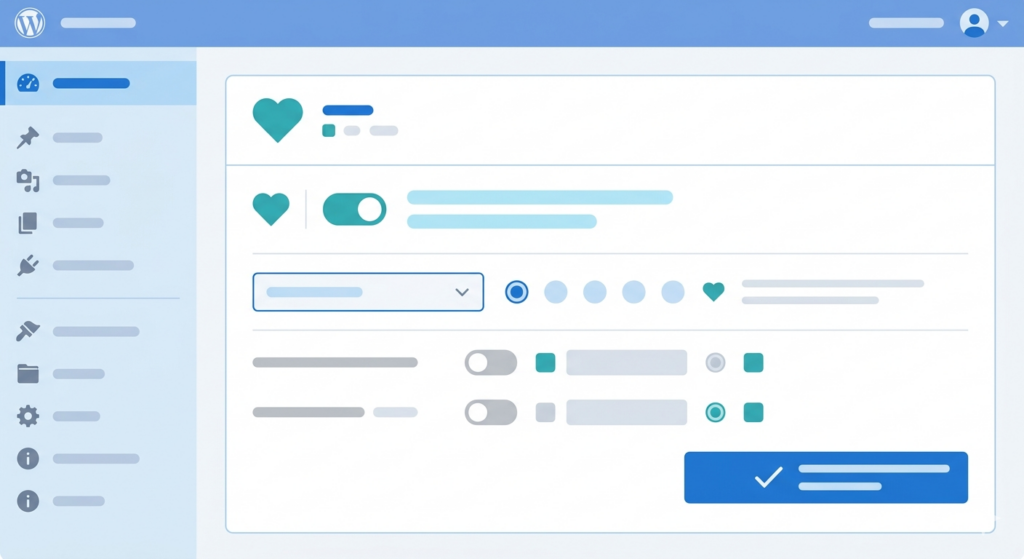
If you’ve been building stores on FluentCart, you’ve likely run into a familiar wall: the WordPress plugin ecosystem wasn’t built with you in mind. Most wishlist plugins — SaveForLater, TI WooCommerce Wishlist, YITH WooCommerce Wishlist — have one thing in common. They’re WooCommerce plugins wearing a “wishlist” badge. Drop them into a FluentCart store and you’re met with broken add-to-cart buttons, missing product data, and checkout flows that go nowhere.
GoWishCart fixes that. It’s a wishlist plugin built from the ground up for FluentCart — not patched to work with it, not “compatible via a workaround,” but natively integrated at every layer.
The Problem with WooCommerce-First Wishlist Plugins
WooCommerce has a massive plugin ecosystem, and that’s mostly a good thing — except when you’re not running WooCommerce. FluentCart has its own product schema, its own cart session management, and its own checkout pipeline. A WooCommerce wishlist plugin has no knowledge of any of it.
What you typically get when you try one of these plugins on a FluentCart store:
- Product titles and prices that don’t render (or render stale data)
- “Add to cart” buttons that point to WooCommerce’s cart handler — which doesn’t exist
- Checkout redirects that 404 or loop back to the homepage
- Variation data that gets dropped entirely, so customers lose the specific size/color/option they saved
The underlying issue is that these plugins hook into woocommerce_* actions and filters. FluentCart doesn’t fire those hooks. So everything downstream breaks silently, and debugging it is a rabbit hole with no payoff.
GoWishCart hooks into FluentCart’s own API. That’s the difference.
What GoWishCart Gives You — For Free
GoWishCart’s free tier covers everything a store owner actually needs to launch a working wishlist experience.
Guest Wishlist Support
Not every customer creates an account before they start shopping. GoWishCart handles guest wishlists using browser localStorage, so visitors can save products without registering. When they do eventually log in or create an account, their saved items carry over into their user profile automatically. No lost wishlists, no friction at the point of conversion.
Product Variation Saving
If your FluentCart store sells configurable products — sizes, colors, materials, bundles — GoWishCart saves the full variation context alongside the base product. A customer who saves a “Medium / Navy” hoodie sees exactly that when they return, not a generic product card that forces them to re-select everything. This matters for stores where variation selection is part of the decision-making process.
Shortcode Rendering
Displaying the wishlist page is a single shortcode drop:
[gowishcart_wishlist]Place it on any page, and GoWishCart renders the full wishlist UI there — product thumbnails, saved variations, prices pulled live from FluentCart, and individual remove buttons. No custom page templates required, no theme-specific integration work.
Customizable Button Position and Icons
The “Add to Wishlist” button can be positioned relative to the product card — above the title, below the price, overlaid as a corner icon, or inline with the add-to-cart button. You control placement through the plugin settings panel without touching template files.
Icon customization is straightforward too. You can swap the default heart icon for any icon from the bundled set, or bring in your own SVG. For stores with a strong visual identity, this matters — a wishlist button that clashes with your design language is a small thing that adds up.
FluentCRM Integration
This is where GoWishCart earns its place for marketing-minded store owners. When a customer adds a product to their wishlist, GoWishCart can tag them in FluentCRM automatically. That opens up segmentation and automation workflows that are genuinely useful:
- Send a follow-up sequence when a wishlisted product goes on sale
- Tag customers who wishlist but don’t purchase within 7 days
- Trigger a “back in stock” campaign scoped to customers who saved that specific product
All of this runs through FluentCRM’s existing automation builder — GoWishCart just feeds the data in. If you’re already using FluentCRM for email marketing on your FluentCart store, this integration is a zero-setup upgrade to your retention stack.
Why Native FluentCart Integration Actually Matters
It’s worth being concrete about what “native integration” means in practice, because it’s easy to treat it as marketing language.
Products: GoWishCart reads product data through FluentCart’s product API. Prices, inventory status, and variation availability all reflect the current state of your FluentCart catalog — not a cached snapshot, not a WooCommerce product lookup.
Cart and Checkout: When a customer clicks “Add to Cart” from the wishlist page, the item goes into FluentCart’s cart session. The checkout flow is FluentCart’s checkout flow. Payment gateways, shipping rules, discount codes — everything works because nothing is being routed around the native system.
Order Tracking: Post-purchase, GoWishCart can mark wishlisted items as purchased, so your customers’ lists stay clean and relevant. This state is tracked against FluentCart order data, which means it’s accurate even for orders placed outside the wishlist page.
This matters most for stores that are serious about FluentCart as a long-term platform. Every WooCommerce-compatibility shim you bolt on is technical debt. GoWishCart doesn’t introduce any.
Installing GoWishCart
GoWishCart is available for free on WordPress.org. Installation follows the standard plugin workflow:
From your WordPress admin, go to Plugins → Add New, search for GoWishCart, and click Install Now. After activation, the settings panel appears under the FluentCart menu.
Alternatively, download the zip directly from the WordPress.org plugin page and upload via Plugins → Add New → Upload Plugin.
After activation, there are three things worth doing immediately:
- Create a dedicated Wishlist page and drop in the
[gowishcart_wishlist]shortcode. - Configure the button position in Settings → Button Display to match your theme’s product card layout.
- If you’re using FluentCRM, connect it under Settings → Integrations and set up your initial wishlist tag.
The Bottom Line
FluentCart stores deserve wishlist functionality that actually works — not a WooCommerce plugin duct-taped to a different system. GoWishCart is purpose-built for FluentCart, free to use, and covers the full range of wishlist features that matter: guest support, variation fidelity, flexible display, and CRM integration.
If you’re running a FluentCart store and haven’t added wishlist functionality yet, there’s no practical reason to wait.
→ Install GoWishCart free from WordPress.org and start capturing customer intent today.